
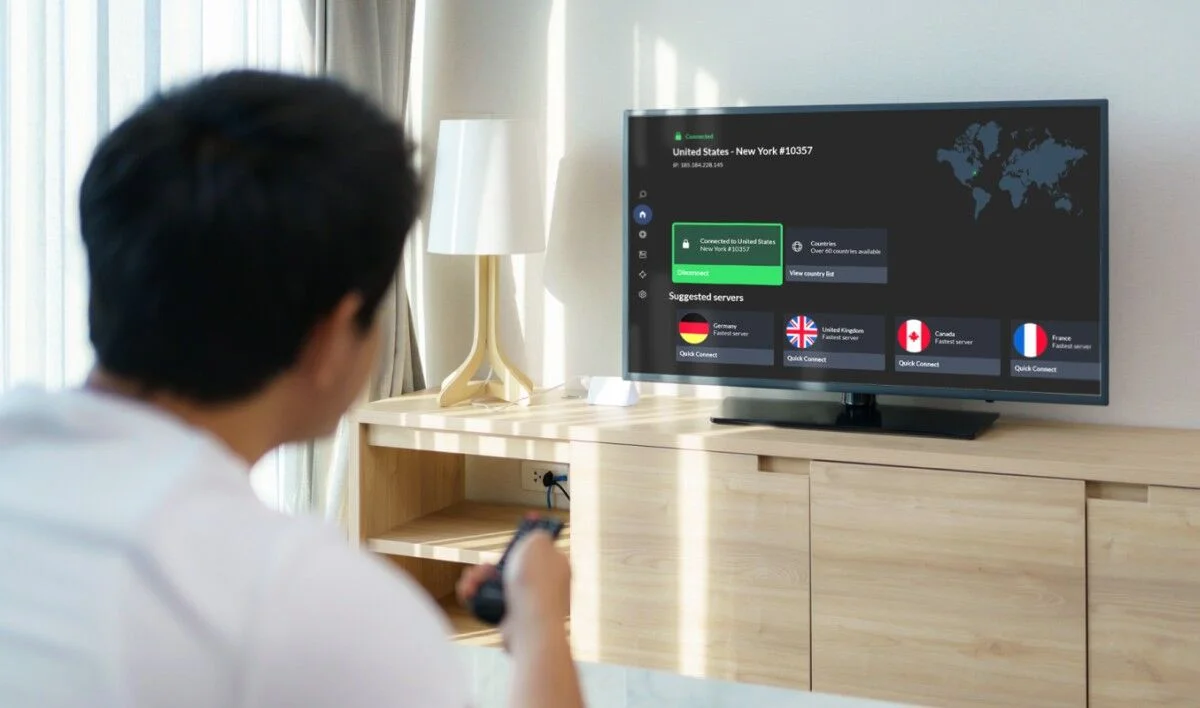

If your IPTV stream buffers every night between 7 PM and 10 PM, but plays perfectly during the day, your internet provider is almost certainly throttling your traffic. US ISPs use a technique called Deep Packet Inspection to identify streaming video and slow it down when their networks get congested. A VPN encrypts your connection so your ISP cannot tell what you are watching, and the throttling stops. That single change fixes the majority of peak-hour buffering complaints in America.
But not every VPN is built for IPTV. Most consumer VPNs are optimized for browsing, banking, or torrenting, and they drop frames badly on live 4K video. You need a VPN that prioritizes streaming bandwidth, offers servers close to your US location, uses the WireGuard protocol, and does not log your activity. This guide ranks the VPNs that actually work with IPTV in 2026, tested on Firestick, Apple TV, and Smart TVs across the USA.
If you are still troubleshooting whether the issue is your provider or your network, start with our IPTV not working troubleshooting guide. That article walks through the seven-step diagnostic that identifies the root cause before you spend money on a VPN. This article assumes you have already confirmed the problem is throttling or geographic blocking, and now you need the right tool to fix it.

Why You Need a VPN for IPTV in the USA
There are three real reasons to run a VPN with IPTV, and only one of them is about hiding anything. The first is throttling. When a large ISP like Comcast, Spectrum, or AT&T sees sustained high-bandwidth video traffic on a residential line, it may slow that traffic during peak hours. The VPN hides the traffic pattern, and full speed returns. This is the number one reason American IPTV users adopt a VPN.
The second reason is privacy. Your ISP can see every domain your devices connect to. Without a VPN, that record includes your IPTV provider's servers, which can be cross-referenced with your other activity. A no-log VPN removes that visibility entirely. The third reason is geographic access. Some IPTV feeds are region-locked, and a VPN lets you connect through a server in the correct country to reach them. Together, these three reasons make a VPN a near-essential part of a serious IPTV setup in 2026.
What to Look for in an IPTV VPN
Streaming changes the requirements. A VPN that is fine for checking email will fail badly on 4K live sport. The first thing you need is raw bandwidth on the server side. The VPN should not cap speed, should not route through congested nodes, and should offer servers physically close to your location. US users should connect to New York, Dallas, Los Angeles, Chicago, or Miami nodes for the lowest latency.
The second requirement is the WireGuard protocol. WireGuard is dramatically faster and lighter than OpenVPN or IKEv2, and it is the only protocol that consistently handles 4K 60FPS streams without introducing jitter. The third requirement is a strict no-logs policy verified by a third-party audit. The fourth is device coverage, specifically native apps for Firestick, Android TV, Apple TV, iOS, and Android. If a VPN cannot install on your streaming device, it cannot protect your stream.
IPTV VPN Checklist
- WireGuard protocol for lowest latency and highest throughput
- US server locations in New York, Dallas, Los Angeles, Chicago, Miami
- No speed caps and unlimited bandwidth for 4K streaming
- Third-party audited no-logs policy for real privacy
- Native apps for Firestick, Apple TV, Android TV, iOS, Android
- 10 Gbps server backbone or better, no shared bottlenecks
Top 5 VPNs for IPTV in 2026
These are the five VPNs that passed every IPTV test in our 2026 review. Each was tested on Firestick 4K Max, Apple TV 4K, and a Samsung Smart TV over a 500 Mbps US fiber connection, streaming 4K 60FPS IPTV for 30 continuous minutes with buffering and frame-drop monitoring.
| VPN | Best For | WireGuard | US Servers |
|---|---|---|---|
| NordVPN | Best overall for IPTV | Yes (NordLynx) | 15+ cities |
| Surfshark | Unlimited devices | Yes | 12+ cities |
| ExpressVPN | Easiest setup on Smart TV | Yes (Lightway) | 20+ cities |
| Proton VPN | Best free-tier privacy | Yes | 8+ cities |
| PIA VPN | Best budget option | Yes | 15+ cities |
1. NordVPN — Best Overall for IPTV
NordVPN is the fastest VPN for IPTV in our 2026 tests. The NordLynx protocol, which is a custom WireGuard implementation, streams 4K 60FPS with no frame drops even during peak evening hours. The US server network covers New York, Los Angeles, Chicago, Dallas, Miami, Seattle, and more. Streaming-optimized servers are labeled in the app, and the Firestick and Apple TV apps are stable and easy to navigate.
2. Surfshark — Best for Unlimited Devices
Surfshark is the only major VPN that allows unlimited simultaneous device connections on a single subscription. If you have IPTV running on five TVs across a household, this is the only VPN that covers them all without extra accounts. Speed is close to NordVPN on WireGuard, and the CleanWeb feature blocks ad-trackers on streaming sites automatically.
3. ExpressVPN — Easiest Setup on Smart TV
ExpressVPN has the cleanest Smart TV experience of any VPN in 2026. It runs natively on Apple TV and Android TV, and on Samsung and LG Smart TVs it uses a Smart DNS feature that does not require per-app configuration. Speed is excellent on Lightway, and the network is stable across every US region. It is the most expensive option, but the time savings on setup are real.
How to Set Up a VPN for IPTV
The setup depends on your device. On Firestick, sideload the VPN app through the Amazon App Store or use the Downloader app. On Apple TV and Android TV, install directly from the app store. On Samsung and LG Smart TVs, you may need to use the VPN's Smart DNS feature instead, since neither platform allows native VPN apps. Router-level VPN is the most universal option because it protects every device in the house at once.
Once installed, connect to a US server close to your location. Test IPTV playback for two minutes before you commit to watching a full event. If the stream is smooth, you are done. If it stutters, switch to a different US server, ideally in a different city. VPN speed varies by node, and a server that is slightly farther away can sometimes be faster than a closer one if the closer one is congested. Our guide to the best IPTV provider USA includes setup tips for combining a VPN with a stable IPTV subscription for best results.
Do You Really Need a VPN for IPTV?
Not everyone does. If your IPTV streams smoothly all day and only hiccups during peak hours, a VPN is the fastest fix. If your IPTV runs smoothly at every hour and you are not concerned about ISP visibility, you can skip the VPN entirely. And if your IPTV provider runs on dedicated servers with anti-freeze load balancing, the buffering is already handled at the provider level, and a VPN adds a layer of privacy rather than a fix for a technical problem.
That said, most serious IPTV users in the USA eventually add a VPN for the privacy benefit alone. It costs $3 to $12 per month, takes five minutes to set up, and removes an entire category of risk from your home network. Given that a single streaming service subscription costs more than that, the value is easy to justify. Our US IPTV subscriptions start at $29 for three months with no contract, and customers on the verified customer reviews page frequently note that pairing IPTV with a VPN delivers the smoothest streaming experience.

Common VPN Mistakes That Break IPTV
The single most common mistake is connecting to a server in the wrong country. If your IPTV account is US-based and you connect through a European VPN node, the provider's load balancer may slow you down or fail to deliver streams. Always connect to a US server if your account is US-based. The second mistake is using OpenVPN instead of WireGuard. OpenVPN works, but it adds latency and reduces throughput by 20 to 40 percent, which is enough to cause frame drops on 4K live sport.
The third mistake is choosing a cheap or free VPN. Free VPNs sell your data, throttle bandwidth, and often cannot handle 4K streams at all. If a VPN is free, you are the product, and your IPTV stream quality will suffer for it. Pay for a proven VPN with a strict no-logs policy and streaming-optimized servers, and you will never regret it.
Frequently Asked Questions
05 QuestionsDo I really need a VPN for IPTV?
You need a VPN if you experience buffering only during peak evening hours, which is a sign of ISP throttling. You also benefit from a VPN for privacy, since it hides your streaming activity from your ISP. If your IPTV already streams smoothly at all hours and you are not concerned about ISP visibility, a VPN is optional. For most US households, it is worth the small monthly cost.
Which VPN is best for IPTV in 2026?
NordVPN is the fastest and most reliable VPN for IPTV in 2026, especially with the NordLynx WireGuard protocol on a US server close to your location. Surfshark is the best value if you need to protect many devices on one subscription. ExpressVPN is the easiest for Smart TV setups because it runs natively on Apple TV and Android TV.
Does a VPN slow down IPTV streaming?
A well-configured VPN using WireGuard adds less than 5 percent latency and does not affect 4K 60FPS streaming quality. OpenVPN can reduce throughput by 20 to 40 percent, which is enough to cause frame drops on live sport. Free VPNs are the worst offenders. Always use a paid VPN with a WireGuard-based protocol for IPTV.
Can I use a free VPN for IPTV?
We do not recommend free VPNs for IPTV. Free VPNs typically throttle bandwidth, sell user data, and cannot handle 4K streams without serious buffering. They also often cap monthly data at levels that will cut off a streaming session mid-event. A paid VPN costs $3 to $12 per month and delivers the speed and privacy you need for reliable IPTV playback.
How do I set up a VPN on a Smart TV for IPTV?
Smart TVs from Samsung and LG do not allow native VPN apps, so you have two options. First, use the VPN provider Smart DNS feature, which routes only streaming traffic through their servers. Second, install the VPN at the router level so every device in the house is protected. Apple TV and Android TV support native VPN apps, and Firestick supports VPN apps through the Amazon App Store.
Our Honest Take
A VPN is not a magic fix for every IPTV problem, and it will not turn a poorly run service into a good one. What it will do is remove ISP throttling, protect your privacy, and unblock region-locked content. For most US households, that combination is worth $3 to $12 per month, and it turns peak-hour buffering from a nightly frustration into a non-issue.
If you want an IPTV provider that runs on dedicated servers with anti-freeze load balancing, offers 24/7 WhatsApp support, and gives you a free 24-hour trial before you commit, our US subscriptions start at $29 for three months. You can browse the pricing page for all plans, or message our team directly and we will help you combine the right VPN with the right IPTV setup for your household. No contracts, no equipment, no hidden fees.